FRAOS · Max
Run every site from a single account.
Multiple telescopes · one operator.
Starting from $99per month
In development — checkout opens when this tier launches.
Two apps. One private hub.
No VPN. No screen sharing.
Control Client plans and monitors from anywhere. Borean Station runs at the pier and drives NINA. Every license gets a dedicated cloud hub on www.boreanastro.com.
Control Client
macOS · Windows
Cloud Hub
www.boreanastro.com
Station + NINA
Observatory PC
No VPN. No screen sharing. Each app authenticates only to your hub.
Plan the night in seconds.
See tonight before you sleep.
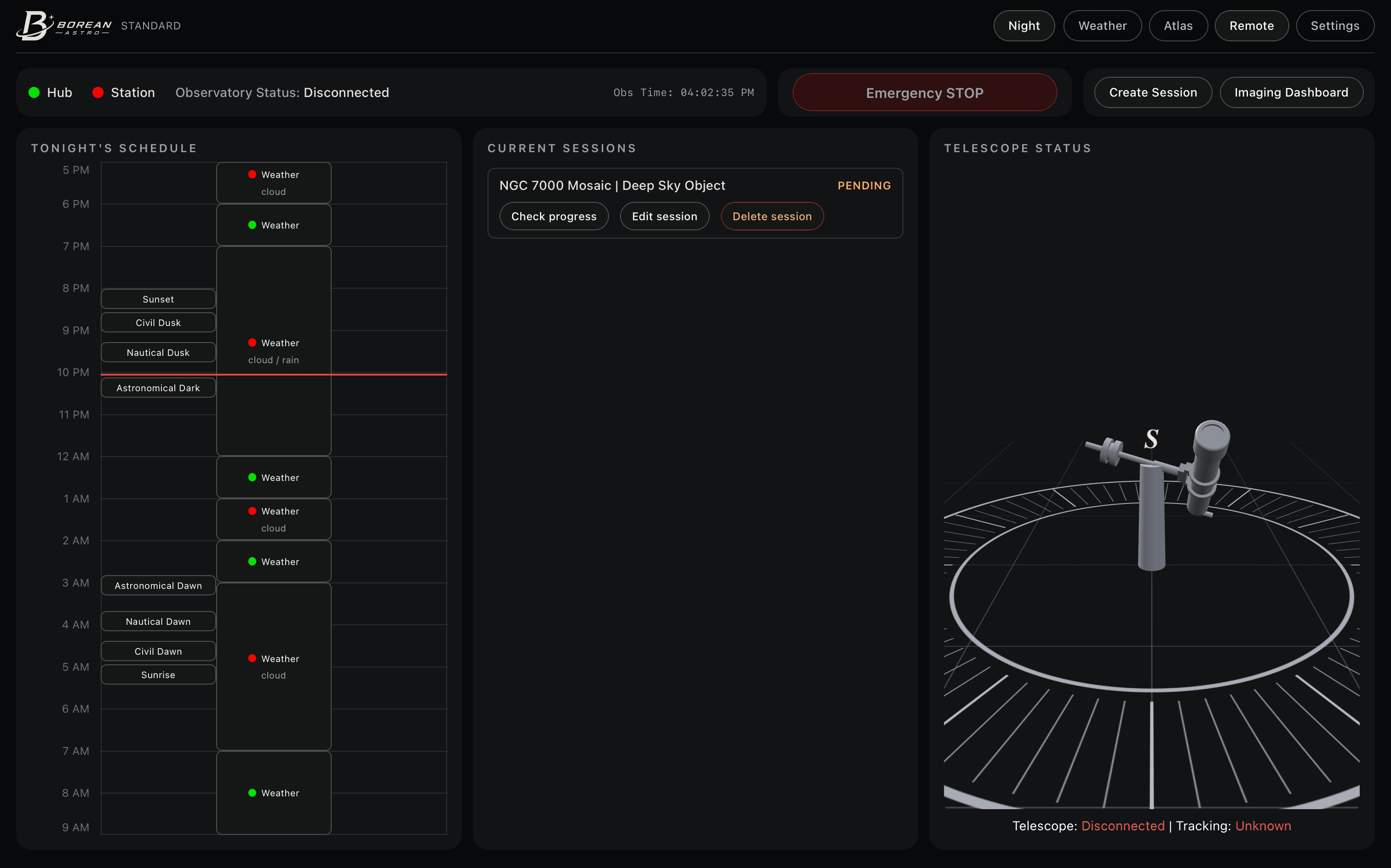
The Remote console is your command center — schedule on the left, the live queue in the middle, your rig on the right.
Tonight's schedule
Sunset to sunrise on one strip. Weather-permitted hours, twilight boundaries, and every scheduled session block — at a glance.
Current sessions
Pending, scheduled, in progress, completed, failed. Check progress, edit, or delete any row without leaving the console.
Live telescope status
A 3D view of your mount and dome, with connection and tracking state updating in real time.
One safety switch
Emergency STOP halts the sequence and parks the rig instantly — from anywhere you happen to be.
Tonight's schedule
Sunset to sunrise on one strip. Weather-permitted hours, twilight boundaries, and every scheduled session block — at a glance.
Current sessions
Pending, scheduled, in progress, completed, failed. Check progress, edit, or delete any row without leaving the console.
Live telescope status
A 3D view of your mount and dome, with connection and tracking state updating in real time.
One safety switch
Emergency STOP halts the sequence and parks the rig instantly — from anywhere you happen to be.
Build a session like a pro.
From target to filters to frames.
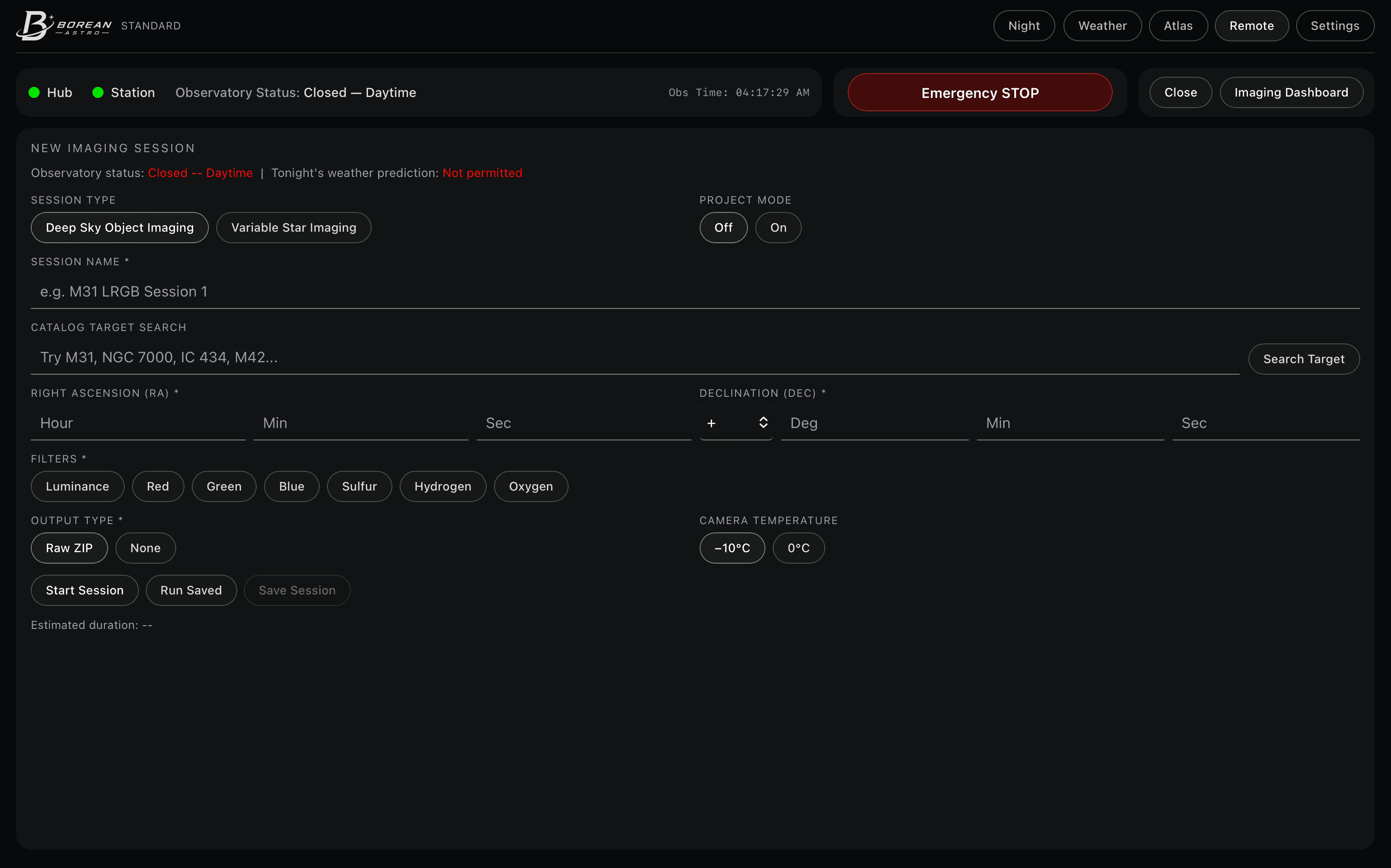
One form turns a catalog search into a fully planned imaging run — and Project Mode stretches it across nights.
Deep-sky or variable-star
Pick a workflow. Search NGC, Messier, IC, or named targets and let coordinates fill themselves in.
Filters and frames
Build LRGB and SHO filter rows with per-filter exposure and frame counts. Raw ZIP uploads to your included cloud storage when the session completes.
Project Mode
Turn one ambitious target into a multi-night project. The plan picks up clear nights until every frame is collected.
Let the scheduler think.
Weather, altitude, and the Moon — handled.
FRAOS places each session where it actually fits, or holds it until conditions improve.
Know your sky.
Then send a target to Remote in one tap.
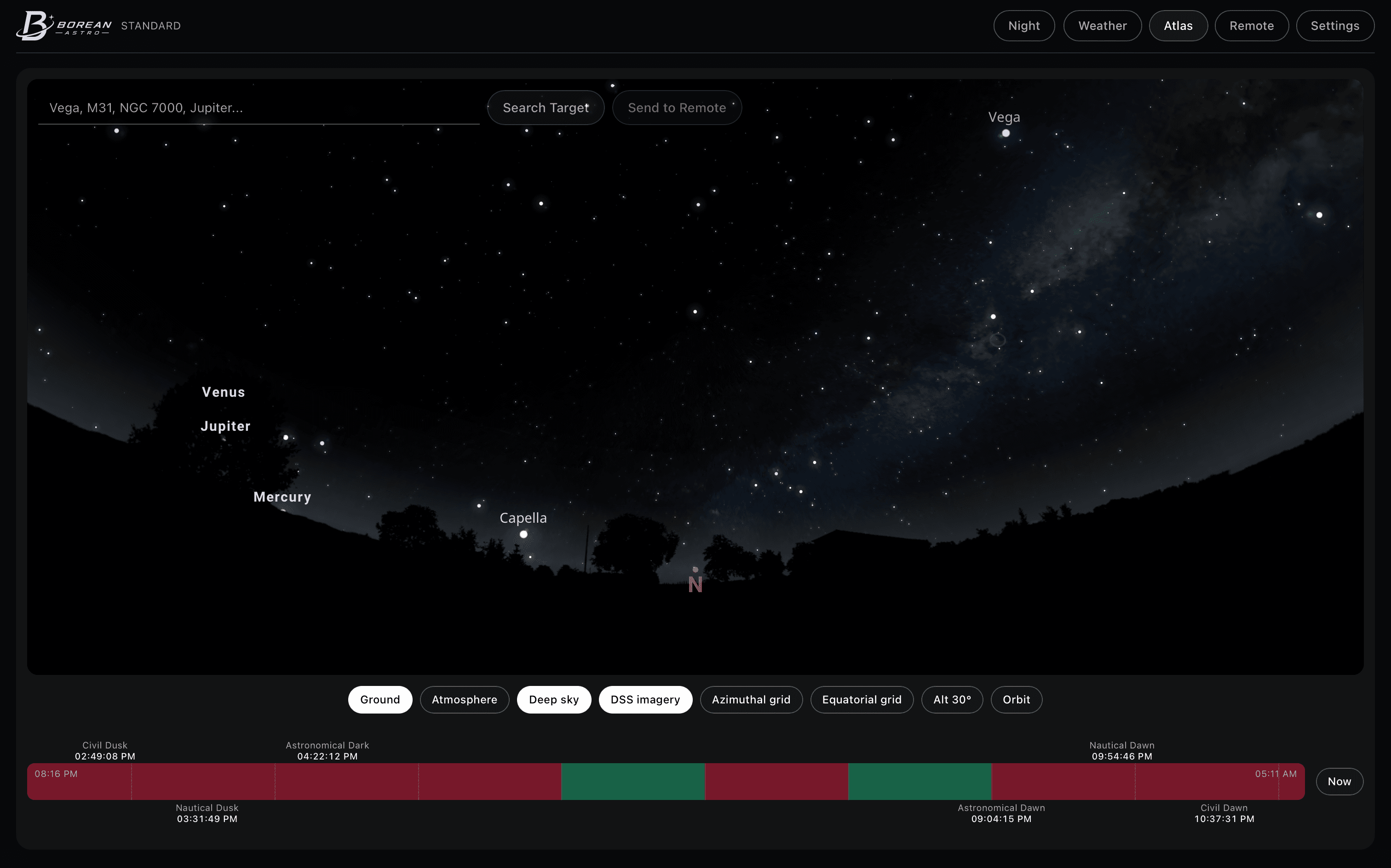
Atlas is an interactive sky map built for imagers — search, frame, and push coordinates straight into a new session.
A real sky, rendered
Pan and zoom a live Stellarium engine with horizon, atmosphere, planets, and the Milky Way.
Your field of view
Overlay the exact frame your rig captures — rotated for field angle, so framing previews are honest.
Send to Remote
Find a target, then open a new session with its name, RA, and Dec already filled in.
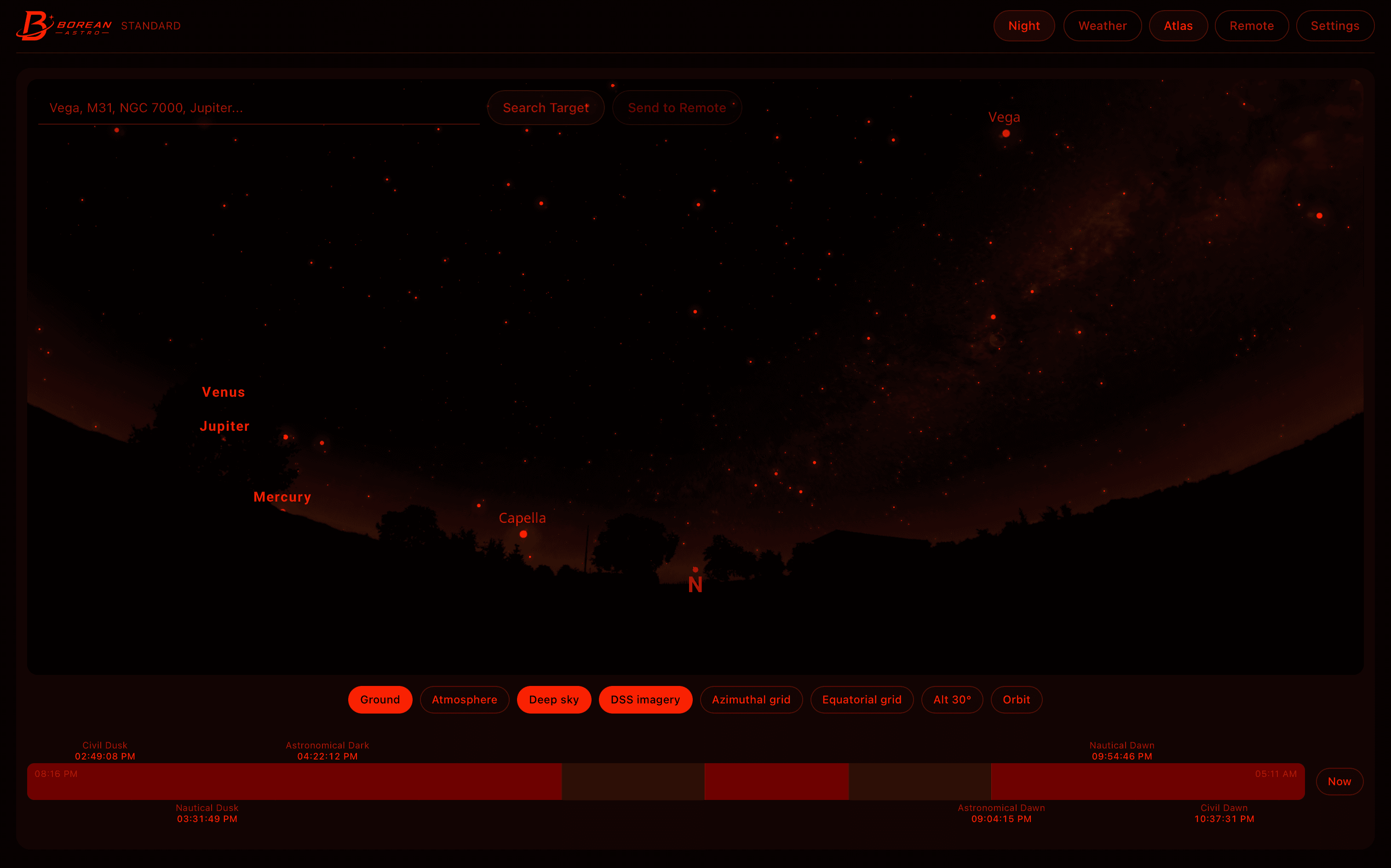
Protect your night vision.
One switch turns the whole app red.
Night mode shifts every screen to deep red so you can check the plan at the eyepiece without losing dark adaptation.
Read the weather.
Know if tonight is worth staying up.
Forecast, radar, and satellite cloud cover — aligned with the same gates the scheduler uses.
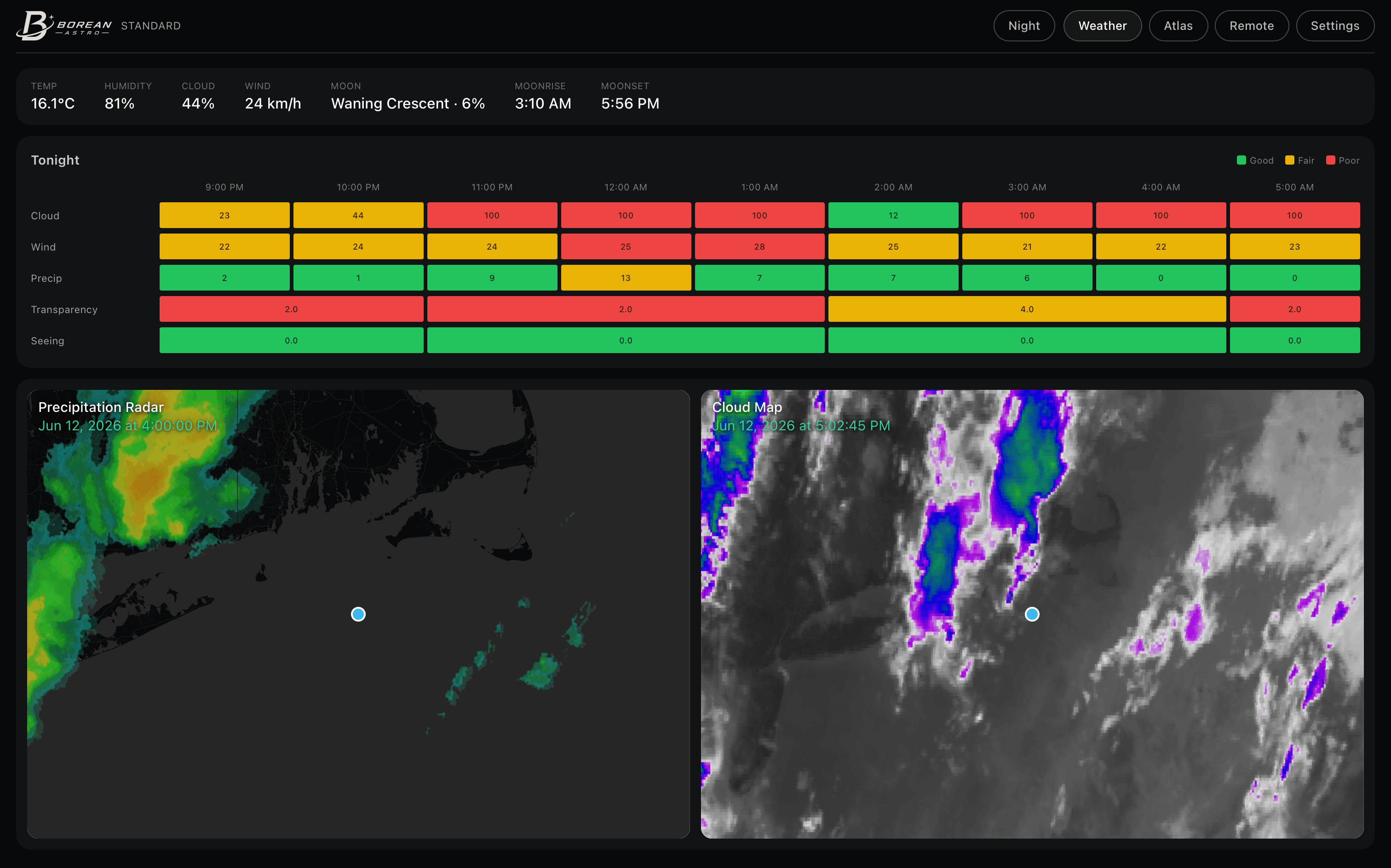
Tonight at a glance
Temperature, humidity, cloud, wind, and the Moon — the night's headline numbers up top.
Hour-by-hour grid
Cloud, wind, precipitation, transparency, and seeing scored green to red across the dark hours.
Radar & satellite
Live precipitation radar beside NOAA GOES cloud imagery, centered on your observatory.
Run unattended.
Close the laptop. The observatory keeps working.
Borean Station polls your hub, delivers sequences to NINA, and streams progress back to Control.
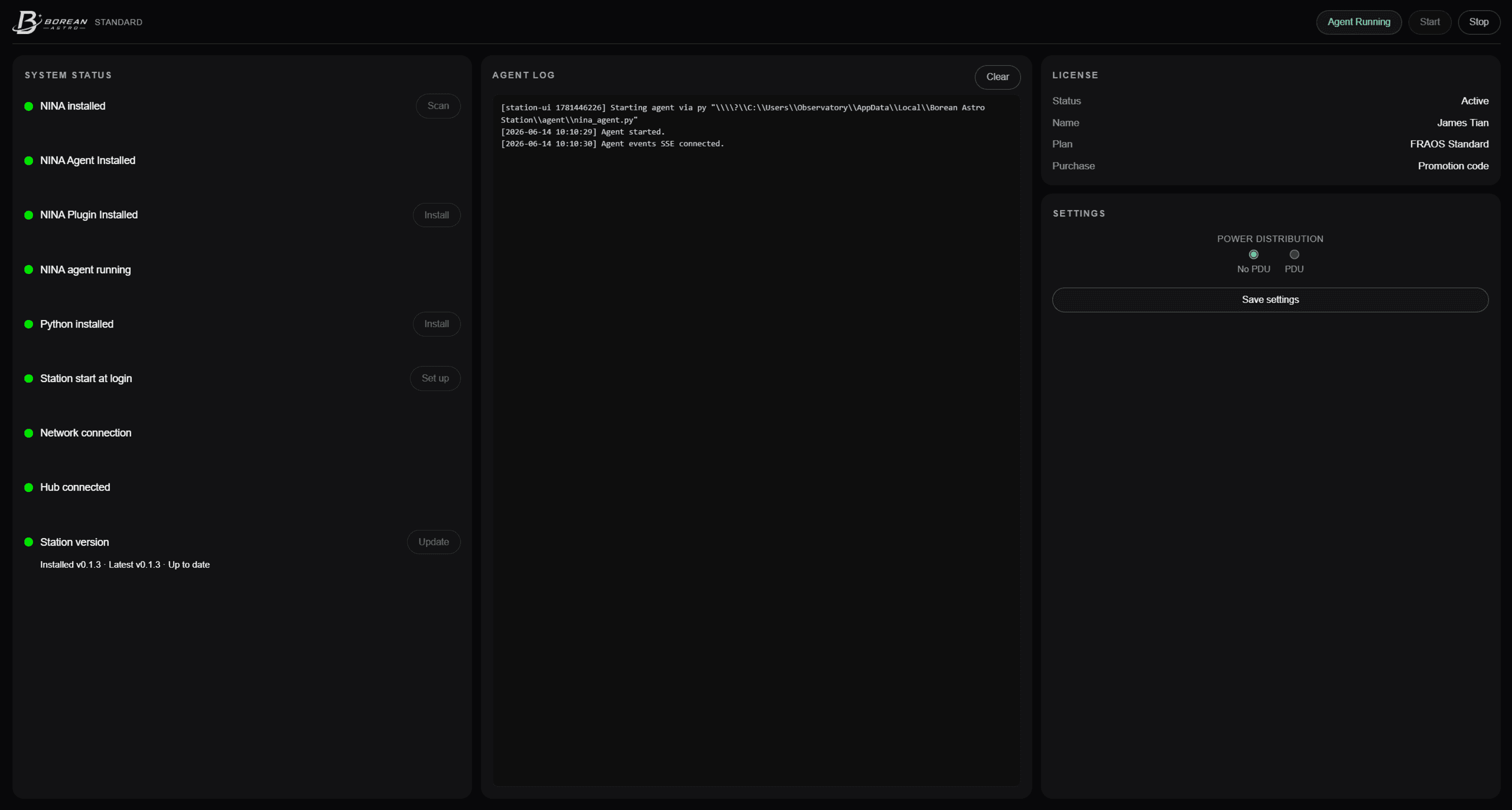
NINA integration
The Windows agent watches your hub queue, builds the sequence, and starts NINA when a session is due.
Live progress
Terminal log and the latest preview frame stream back to Control — no remote desktop required.
System checks
Hub reachability, agent heartbeat, and observatory status, surfaced where you can act on them.
In-app updates
OTA delivery keeps Control Client and Station current without hunting for installers.
Your data. Your hub.
Not a shared account.
Every license embeds a tenant on Borean Astro cloud. Sessions, audit, and delivery flow through your hub — isolated from everyone else.
50 GB included cloud storage per observatory site.
Dedicated tenant
Provisioning creates your hub URL and credentials. Control and Station authenticate only to you.
Download anywhere
Finished Raw ZIP sessions land in your site storage. Download from Control whenever you need them — no trip to the observatory PC.
10 GB included
Each observatory site includes 10 GB of online storage. Files stay until you delete them in Settings.
FRAOS Max
Every site. One login.
Operate every observatory you own from a single Control account.
- Add sites anytime — dedicated hub per pier
- Cross-site visibility in Control Client
- No cap on how many sites you run
Questions? Answers.
No. Control Client talks to your dedicated cloud hub over HTTPS, and Station at the observatory does the same. There is no VPN or screen sharing.
Max is coming soon
Run as many remote sites as you need from one owner account — a dedicated hub per observatory and cross-site visibility in Control.